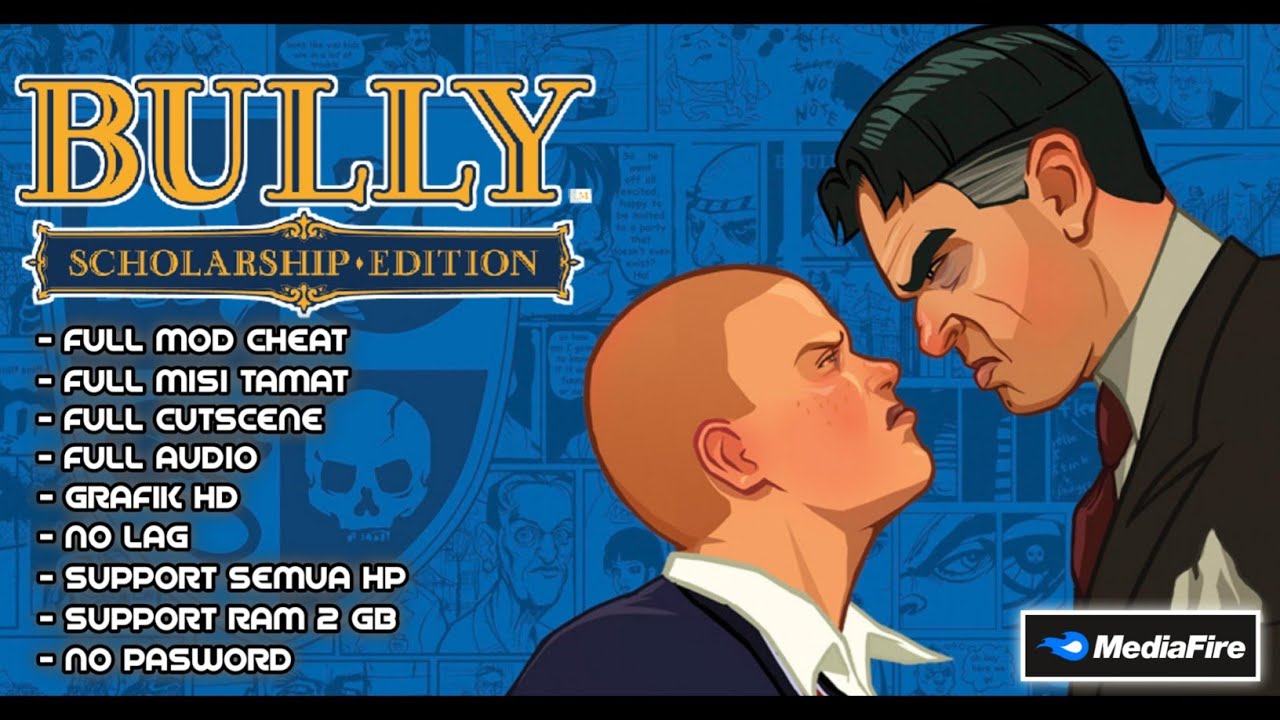
Bully Anniversary Edition remains one of those games that players keep coming back to even years after its release. Created by Rockstar Games, the same company behind Grand Theft Auto, the game offers a completely different experience focused on school life, exploration, missions, and character development.
What makes this title special is how it combines open world freedom with a unique school environment. Instead of playing as a criminal or soldier, you step into the shoes of Jimmy Hopkins, a teenager trying to survive life at Bullworth Academy while dealing with bullies, teachers, and rival groups.
Many Android gamers across Nigeria and Africa enjoy Bully Anniversary Edition because it delivers a console quality experience on mobile devices. If you are curious about its gameplay, performance, settings, and whether it is still worth playing in 2026, this guide covers everything you need to know.
What is Bully Anniversary Edition?
Bully Anniversary Edition is an action adventure open world game developed by Rockstar Games. It is an enhanced version of the original Bully game that first appeared on PlayStation 2 before later receiving updated releases for modern devices.
The game follows Jimmy Hopkins, a student sent to Bullworth Academy after getting into trouble. Throughout the story, players attend classes, complete missions, build friendships, and deal with different student groups around the school.
Unlike many action games, Bully focuses heavily on storytelling, humor, exploration, and character interactions. Players who enjoy open world games with engaging stories will likely appreciate what this title offers.
The Android version was created to bring the classic experience to mobile users while introducing improved graphics, better controls, and support for modern devices.
What Makes This Version Special?
Enhanced Graphics
Bully Anniversary Edition includes upgraded textures, improved lighting effects, and sharper character models compared to the original release.
Touch Screen Controls
The game was redesigned to work smoothly on Android devices using touchscreen controls. Players can move, fight, interact, and complete missions without needing external hardware.
Improved Performance
Rockstar optimized the game for modern smartphones, making gameplay smoother and more stable than older versions.
Cloud Save Support
Players can back up their progress and continue playing without worrying about losing their game data.
Additional Classroom Challenges
The Anniversary Edition includes extra classroom content that was not available in the original release.
Controller Compatibility
One feature many people overlook is controller support. If you connect a Bluetooth controller, gameplay feels much closer to a traditional console experience.
Gameplay Modes Available
Story Mode
Story Mode is the heart of Bully Anniversary Edition. Players complete missions, unlock new areas, and progress through Jimmy’s journey at Bullworth Academy.
Free Roam Mode
When not doing missions, players can freely explore the town, school grounds, shops, parks, and other locations.
Classroom Activities
Classes serve as mini games that reward players with useful abilities and bonuses. Attending classes can make certain tasks easier later in the game.
Side Missions
Side activities allow players to earn money, unlock rewards, and discover additional content beyond the main storyline.
Competitive Challenges
Different challenges throughout the game test fighting skills, racing abilities, and exploration techniques.
System Requirements
The game is surprisingly accessible for most Android users.
Requirement
Minimum
Android Version
Android 8.0 or higher
RAM
3GB
Storage
3GB free space
Processor
Snapdragon 665 equivalent
Internet
Only required for updates
Recommended Specifications
Component
Recommended
Android Version
Android 11 or higher
RAM
6GB or more
Processor
Snapdragon 778G or better
Storage
5GB free space
Display
Full HD Screen
Most mid range Android phones sold in Nigeria today can run the game comfortably.
🎮
Will This Game Run on My Phone?
Check if your Android device can handle your favourite game.
Android Setup Guide
Getting the best experience from Bully Anniversary Edition involves more than simply launching the game.
First, close background applications before starting the game. This helps free up memory and reduces lag during missions.
Next, lower screen brightness slightly. Many players do not realize how much battery this saves during longer gaming sessions.
After that, enable Game Mode if your phone includes one. Most Samsung, Xiaomi, Infinix, Tecno, and Redmi devices now provide gaming optimization features.
Finally, make sure your phone has enough free storage space available. A nearly full device often causes stuttering and slower loading times.
Best Graphics Settings for Different Android Phones
Different devices require different settings. The table below can help you find a balance between performance and visual quality.
Phone Type
Graphics Quality
Frame Rate
Shadows
Effects
Low End
Medium
30 FPS
Low
Medium
Mid Range
High
60 FPS
Medium
High
High End
Very High
60 FPS
High
Very High
For most players, the Mid Range profile offers the best balance between battery life and visual quality.
Controller Setup Guide
Many Android gamers in Africa now use Bluetooth controllers because they provide better accuracy and comfort.
Connect your controller through Bluetooth settings before launching the game. Once connected, Bully Anniversary Edition should automatically recognize the device.
If buttons are mapped incorrectly, open the control settings menu and customize the layout manually.
Using a controller can make bike races, combat sequences, and exploration much easier.
Tips and Tricks to Play Better
Attend Classes Regularly
Many players skip classes because they seem boring. The truth is that classes unlock useful abilities that help throughout the game.
Save Frequently
Unexpected crashes are rare but can still happen. Saving often prevents progress loss.
Explore Every Area
Some of the most interesting items and side activities are hidden away from the main story path.
Manage Your Time
The in game clock matters. Arriving late to classes or missions can create unnecessary challenges.
Learn Combat Techniques
Button mashing works early in the game but becomes less effective later. Practicing combos makes fights much easier.
I remember playing Bully years ago and constantly losing school fights because I ignored the combat tutorials. Once I learned basic counters, everything became much easier.
Common Problems and How to Fix Them
Game Lag
Lag usually occurs when too many background apps are running.
Close unused applications and restart your device before playing.
Crashing on Startup
This often happens when storage space is low.
Free up at least 2GB of available space and try again.
Audio Problems
Missing sound effects can usually be fixed by restarting the game.
Updating your device software may also solve audio issues.
Controller Not Working
Disconnect and reconnect the controller.
Checking for firmware updates can also help.
Battery Drain
Reduce brightness and lower graphics settings slightly.
Nobody really talks about this but battery temperature matters a lot. When phones become too hot, performance drops significantly.
Where Bully Anniversary Edition is Most Popular in Africa
Bully Anniversary Edition has a strong following in several African countries.
In Nigeria, players in Lagos, Abuja, Port Harcourt, Onitsha, Enugu, Kano, and Benin City frequently discuss the game in mobile gaming communities.
South Africa also has a large mobile gaming audience due to widespread smartphone adoption and competitive internet services.
Ghana and Kenya continue to see growth in Android gaming thanks to affordable smartphones and expanding mobile data networks.
Mobile gaming dominates these regions because smartphones are far more accessible than gaming consoles.
Recommended VPNs for Mobile Gamers
Many gamers use VPN services for privacy, network stability, and accessing region specific content.
VPN
Free or Paid
Why Gamers Like It
NordVPN
Paid
Fast servers and strong security
Surfshark
Paid
Unlimited devices and good speeds
Proton VPN
Free & Paid
Reliable free plan
ExpressVPN
Paid
Consistent gaming performance
Windscribe
Free & Paid
Good free data allowance
For Nigerian gamers dealing with unstable network routing, a quality VPN can sometimes improve connection consistency.
Extra Tips Most People Ignore
Back up your save files regularly if your device allows it.
Use a cooling fan during long gaming sessions if your phone overheats frequently.
Avoid gaming while charging because excess heat can reduce performance.
If you own a budget Android phone, lowering brightness often improves both battery life and frame stability.
Many players spend money upgrading devices when a few simple settings changes could solve most performance problems.
🕹️
Game Recommendation Engine
Answer 4 quick questions and get your perfect game matches.
Bully Anniversary Edition remains one of the best open world games available on Android. The combination of storytelling, humor, exploration, and memorable characters still feels fresh even in 2026.
Whether you are revisiting Bullworth Academy or experiencing it for the first time, there is plenty of content to enjoy. The game performs well on most modern Android devices and offers excellent value for mobile gamers.
If you have already played Bully Anniversary Edition, share your favorite mission or funniest moment with friends. Chances are they have their own unforgettable Bullworth story too.
FAQs
Is Bully Anniversary Edition still worth playing in 2026?
Absolutely. The game continues to offer one of the most unique open world experiences available on mobile devices. Its story, humor, and character interactions remain entertaining even years after release. Many modern games still struggle to provide the same level of personality.
Can Bully Anniversary Edition run on low end Android phones?
Yes, but performance depends on the specific device. Phones with at least 3GB RAM generally provide a playable experience. Lowering graphics settings can improve smoothness significantly.
Does Bully Anniversary Edition require internet access?
Most gameplay can be enjoyed without a constant internet connection. Once installed and verified, players can typically enjoy the story offline. This makes it ideal for areas with limited network coverage.
Is a controller necessary for playing?
No, the touchscreen controls work well. However, many players find that a Bluetooth controller improves comfort during longer gaming sessions. Combat and racing sections often feel easier with physical buttons.
How much storage space is needed?
Having at least 3GB of free storage is recommended. Additional space helps maintain smooth performance and prevents potential issues. Devices with very limited storage may experience slower loading times.
Why does the game lag on some phones?
Lag is often caused by insufficient RAM, overheating, or too many background applications. Closing unused apps and lowering graphics settings usually helps. Device temperature can also affect performance.
Can game progress be backed up?
Yes. Players can use cloud services or local backups depending on their device setup. Backing up saves is highly recommended to prevent accidental data loss.
Is Bully Anniversary Edition suitable for casual gamers?
Definitely. The game includes a mix of story missions, exploration, mini games, and side activities. Players can progress at their own pace without feeling rushed.
What makes Bully different from GTA?
Although both games are made by Rockstar Games, Bully focuses on school life rather than criminal activities. The tone is lighter, more humorous, and centered around student experiences.
Which Android phones provide the best experience?
Mid range and flagship devices generally deliver the smoothest performance. Phones with 6GB RAM or more and modern processors can comfortably run high graphics settings while maintaining stable frame rates.
Buchi Evans is a game developer and tech enthusiast with years of hands-on experience building and breaking games. As the founder of Strange Games, he writes in-depth reviews, guides, and analysis with a developer’s eye — helping players understand not just how to play, but why games are built the way they are. When he’s not writing, he’s deep in a game engine or testing the latest mobile releases.