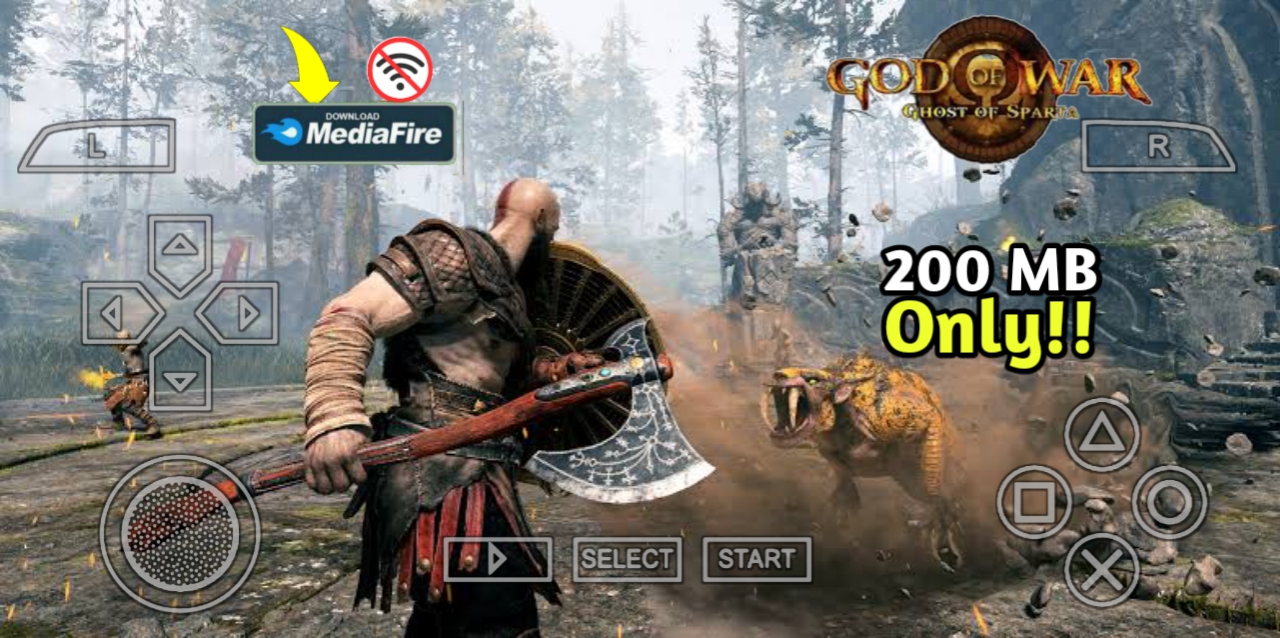
God of War: Ghost of Sparta continues to captivate Android gamers in 2026 through the PPSSPP emulator. This action-adventure masterpiece delivers brutal combat, deep storytelling, and visuals that still impress with modern enhancements like HDR-style graphics. Whether you’re a longtime fan revisiting Kratos’ journey or a newcomer exploring Greek mythology in epic form, this guide covers everything you need for an optimal experience on Android devices.
From fluid gameplay mechanics to breathtaking boss encounters, Ghost of Sparta stands out as one of the most polished PSP titles. With the right PPSSPP settings, players achieve smooth frame rates, sharper textures, and immersive HDR-like visuals that elevate the entire adventure. This comprehensive review explores the game’s strengths, provides a detailed gameplay guide, and shares the best optimization tips for various Android phones.
🎮
Will This Game Run on My Phone?
Check if your Android device can handle your favourite game.
Why God of War: Ghost of Sparta Remains a Must-Play in 2026
Released originally for the PSP, God of War: Ghost of Sparta blends intense action with a personal narrative that adds significant depth to Kratos’ character. Developed by Ready at Dawn with support from Santa Monica Studio, the game follows the Spartan warrior as he confronts his past, family ties, and powerful forces from Greek mythology. Even years later, its combination of cinematic presentation, satisfying combat, and memorable locations makes it a standout choice for mobile emulation.
Modern PPSSPP updates allow Android users to experience enhanced HDR graphics, upscaled resolutions, and improved performance that surpass the original hardware limitations. Players report smoother gameplay on mid-range and high-end devices, with visuals featuring richer lighting, detailed environments, and dynamic effects that make ancient temples, stormy seas, and mythical realms come alive.
The game’s lasting appeal comes from its balanced mix of exploration, puzzle-solving, and high-octane battles. It appeals to fans of action-adventure games who appreciate mythological themes, strategic combat, and emotional storytelling. In regions across Africa, including Nigeria, Ghana, Kenya, Uganda, and South Africa, many gamers turn to Android emulation for premium experiences without needing dedicated consoles.
Deep Dive into the Story and Characters
God of War: Ghost of Sparta places players in the role of Kratos during a pivotal period in his life. The narrative explores his origins, family connections, and the burdens he carries as the Ghost of Sparta. Without heavy spoilers, the story takes Kratos on a journey through iconic mythological locations, including the sunken city of Atlantis and realms tied to gods and titans. It delves into themes of redemption, brotherhood, and the consequences of divine interference.
Voice acting remains top-tier, with performances that convey raw emotion and intensity. Kratos’ internal struggles feel authentic, making his actions more impactful. Supporting characters and antagonists draw from lesser-known Greek myths, adding freshness to the familiar God of War universe. The personal nature of the quest sets it apart from broader conflicts in other entries, creating an intimate yet epic feel.
Exploration reveals hidden lore through environmental storytelling and collectibles. Players uncover secrets about Kratos’ past that enrich the overall franchise mythology. The campaign length offers a satisfying 6-10 hours for the main story, with additional time for full completionists hunting every upgrade and secret. Replay value stays strong thanks to difficulty modes and challenge arenas.
Gameplay Mechanics and Combat System
Combat forms the core of God of War: Ghost of Sparta. Kratos wields powerful weapons in fast-paced, combo-heavy battles against hordes of enemies and colossal bosses. The system rewards timing, positioning, and ability management rather than simple button mashing.
Core features include:
Brutal chain-based attacks with devastating finishers
Magical abilities for crowd control and heavy damage
Strategic dodging and blocking mechanics
Environmental interactions during fights
Epic boss battles requiring pattern recognition
Upgrade systems that enhance weapons and stats
The Blades of Athena serve as the primary weapon, offering excellent range and versatility through various combos. Later, players acquire the Arms of Sparta—a spear and shield combination that introduces new playstyles, including defensive blocking and ranged throws. Thera’s Bane infuses blades with fire for powerful armor-piercing attacks, adding another layer of strategy.
Magic powers like the Eye of Atlantis, Scourge of Erinys, and Horn of Boreas provide area attacks and utility options. Collecting Gorgon Eyes, Phoenix Feathers, and Minotaur Horns expands health, magic, and fire meters, encouraging thorough exploration. Puzzle sections break up the action with clever environmental challenges, often tied to new abilities.
Weapons and Abilities Guide
Blades of Athena: Reliable all-rounder with extendable chains for sweeping attacks and precise strikes. Upgrades unlock new movesets.
Arms of Sparta: Adds tactical depth with shield defense and spear throws perfect for distant or shielded foes.
Thera’s Bane: Temporary power boost that burns through enemy defenses and creates explosive opportunities.
Magical Abilities: Each has unique effects, from freezing enemies to unleashing devastating energy blasts. Managing the magic meter is key during intense encounters.
Graphics and Visuals with PPSSPP Enhancements
Ghost of Sparta was one of the most visually impressive PSP games at launch, and it holds up remarkably well. Detailed character models, intricate environments, and dynamic lighting create cinematic moments. Temples, underwater sections, and mythical landscapes showcase strong art direction.
Using PPSSPP, players can enable HDR-style visuals through higher rendering resolutions, texture scaling, and advanced filtering. This results in sharper details, better color depth, and enhanced lighting effects that make the game look closer to console remasters. On high-end Android devices, 4x or higher upscaling delivers stunning clarity without sacrificing smoothness.
System Requirements and Device Compatibility
Most modern Android phones handle God of War: Ghost of Sparta comfortably with proper optimization.
Component
Minimum
Recommended
Android Version
Android 8.0
Android 11 or higher
RAM
3GB
6GB+
Processor
Quad-core 1.8GHz
Snapdragon 720G / Dimensity 800 or better
Storage
2GB free
4GB free
Emulator
PPSSPP 1.15+
Latest version
Budget devices can achieve playable performance by prioritizing frame rate over maximum visuals. Mid-range phones balance both nicely, while flagship devices unlock the full potential of HDR graphics and high resolutions.
Best PPSSPP Settings for Smooth HDR Graphics and Performance
Optimal settings vary by device, but these configurations provide excellent starting points for different hardware levels.
Device Tier
Rendering Resolution
Texture Scaling
Frame Skipping
Filtering
Expected Performance
Low-End
1x or 2x PSP
Auto
1-2
Auto
Smooth 30 FPS
Mid-Range
2x-3x PSP
2x-3x
Off
Anisotropic
Stable 40-50 FPS
High-End
4x+ PSP
4x+
Off
Anisotropic x16
60 FPS with HDR visuals
Additional recommended tweaks include enabling buffered rendering for better accuracy, using Vulkan or OpenGL backend depending on your GPU, and turning on “Skip Buffer Effects” only if you encounter specific issues. Test gradually—start conservative and increase settings while monitoring temperature and battery.
Step-by-Step PPSSPP Configuration Guide
Graphics Settings Optimization
Update to the latest PPSSPP version for improved compatibility. Enable “High-quality depth buffer” and experiment with anti-aliasing for cleaner edges. For HDR-style effects, higher internal resolution combined with texture filtering creates vibrant, modern-looking visuals.
Performance and Audio Tweaks
Close background apps to free RAM. Use auto-frameskip sparingly on stronger devices. For audio, adjust latency settings to eliminate stuttering. Many players prefer Bluetooth controllers for precise inputs during demanding combats.
🧠
What Type of Gamer Are You?
8 quick questions. Discover your gamer personality.
Pro Tips and Strategies for New and Veteran Players
Master enemy patterns by observing attack telegraphs. Dodging often proves more valuable than constant aggression. Save powerful abilities and resources for tough boss fights. Explore thoroughly—hidden chests contain valuable upgrades that make progression smoother.
During large-scale battles, use area-of-effect magic to manage crowds before focusing on priority targets. Upgrade health and magic early for better survivability. In underwater sections, master swimming controls and watch for breath opportunities.
Battery-saving tips include lowering screen brightness, using power-saving modes when possible, and taking breaks during long sessions to prevent thermal throttling. Keep your device well-ventilated for consistent performance.
Troubleshooting Common Issues
Lag or Low FPS: Reduce rendering resolution, enable frameskip, or close other applications.
Visual Glitches: Toggle buffered rendering or update the emulator.
Audio Problems: Adjust sound settings or restart the app.
Controls Issues: Customize on-screen buttons or pair a controller for better precision.
Why It Appeals to Mobile Gamers Worldwide
Offline play makes Ghost of Sparta perfect for travel or areas with limited connectivity. The rich single-player campaign provides hours of high-quality entertainment. Its mythological theme resonates across cultures, while the action-packed gameplay transcends language barriers. In 2026, it remains an accessible way to experience a classic action-adventure title on Android phones.
Conclusion
God of War: Ghost of Sparta delivers an unforgettable blend of intense combat, compelling narrative, and impressive presentation that still shines on Android via PPSSPP. With HDR graphics enhancements and optimized settings, players can enjoy one of the best action-adventure experiences available for emulation. The gameplay guide and best settings shared here should help you achieve smooth performance and stunning visuals tailored to your device.
Experiment with configurations, master Kratos’ arsenal, and immerse yourself in this mythological epic. Whether battling through hordes or uncovering personal stories, Ghost of Sparta offers lasting entertainment for fans of the genre.
FAQs
Is God of War: Ghost of Sparta fully offline on Android?
Yes, once set up in PPSSPP, the entire campaign runs without internet connection, making it ideal for data-conscious players.
Can low-end Android phones run it smoothly?
Yes, with lowered resolution and frameskip enabled. Devices with 3GB+ RAM generally perform adequately.
How do HDR graphics settings improve the game?
They enhance lighting, colors, and texture detail for a more immersive, modern visual experience while maintaining good performance on capable hardware.
What is the best controller option?
Bluetooth gamepads provide the most precise control for combat. Many popular models work seamlessly with PPSSPP.
How long to complete the game?
The main story takes 6-8 hours, while full exploration and challenges extend playtime to 10-15 hours.
Is it still worth playing in 2026?
Absolutely. The gameplay, story depth, and enhanced visuals through emulation continue to deliver one of the strongest handheld action experiences available.
Buchi Evans is a game developer and tech enthusiast with years of hands-on experience building and breaking games. As the founder of Strange Games, he writes in-depth reviews, guides, and analysis with a developer’s eye — helping players understand not just how to play, but why games are built the way they are. When he’s not writing, he’s deep in a game engine or testing the latest mobile releases.