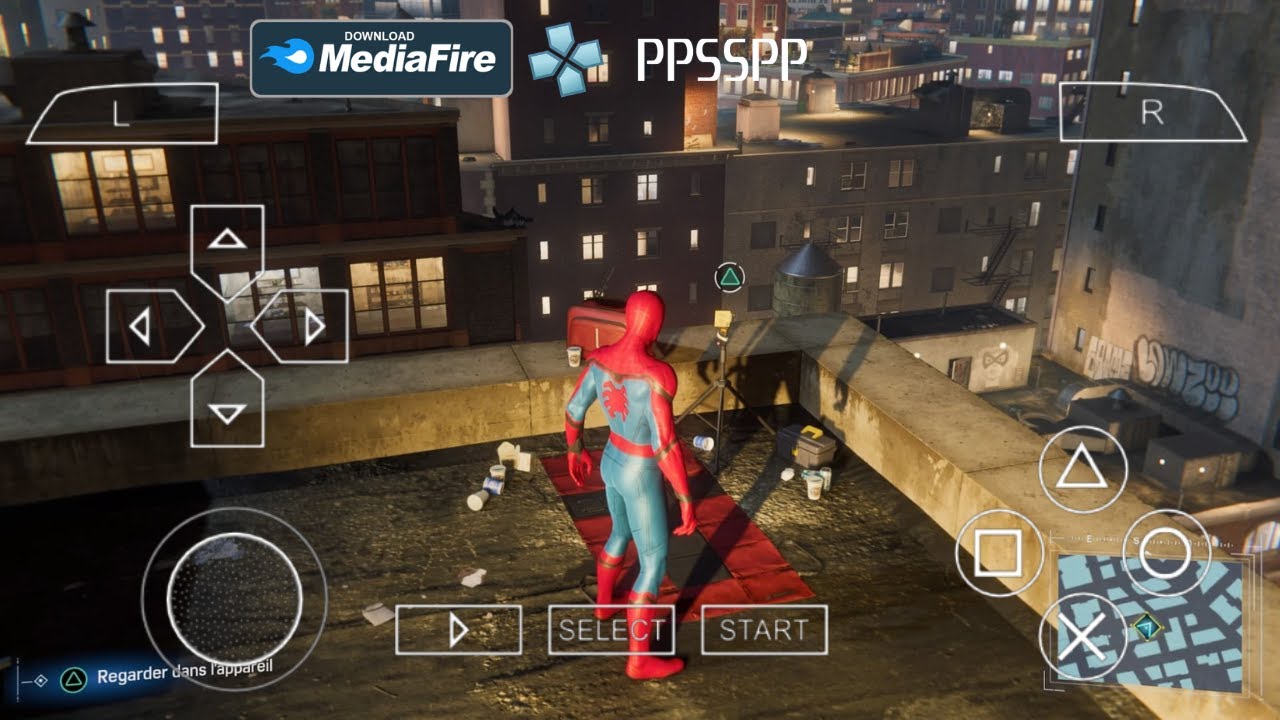
If you’ve ever tried running a big Spider-Man game on a 2GB phone, you know the struggle: stuttering, low FPS, or the game just refusing to start. In 2026, the good news is that there are actually several open-world Spider-Man-style games you can play on Android that feel close to console experiences, especially if you tune them right.
This guide covers the best open-world Spider-Man games for Android in 2026, with real system requirements, FPS expectations, graphics settings, and tips to fix lag on low-end devices. We’ll focus on official or Play Store titles where possible, and talk performance and mechanics rather than piracy or cracked APKs.
What “Open World Spider-Man on Android” Means in 2026
Minimum Android: 7.0+ (some older devices may struggle)
Recommended RAM: 4GB+
Storage: roughly 1.5–2.5 GB
GPU: mid-range Adreno 610 / Mali-G52 or better
Typical FPS:
2GB RAM devices: 15–25 FPS, heavy stutter in dense areas
3–4GB RAM: 30–45 FPS, generally playable
6GB+ RAM: 50–60 FPS with higher graphics settings
Spider Fuser is a bit more demanding than Spider Fighter 3, so if you’re on a very low-end phone, Spider Fighter 3 might be smoother.
3. The Amazing Spider-Man 2 (Gameloft)
Why it’s worth playing
Even in 2026, The Amazing Spider-Man 2 remains a favorite for fans who want a more polished, classic open-world Spider-Man experience. It features:
A large city based on NYC-style environments
Smooth web-swinging and traversal
Combat, missions, and story elements
Multiple Spider characters and suits
While it’s an older title, many players still run it on Android in 2026, especially on mid-range devices.
System requirements & performance
Official and community data suggest:
Minimum Android: 5.0+
Recommended RAM: 2GB+
Storage: around 1.5–2 GB
GPU: any decent adreno/mali or older GPU
Typical FPS:
2GB RAM: 25–35 FPS, occasionally dips in heavy scenes
3–4GB RAM: 35–45 FPS
6GB+ RAM: 45–55 FPS
Because it’s older, it’s often more stable on low-end devices than the newer Spider Fighter 3 or Spider Fuser.
4. Emulated Spider-Man 3 (PSP/PS2)
If you’re specifically looking for the 2007 Spider-Man 3 game, the only way to play it on Android is through emulation:
PPSSPP for the PSP version
Dolphin Emulator or similar for PS2 (if available)
This is legal if you own the original game files, but we won’t link to ROM/ISO download sites. Focus instead on:
Performance settings in the emulator
Which devices can run Spider-Man 3 PSP smoothly
How to fix lag and audio issues
We’ll cover emulation tips in a dedicated section below.
Will This Game Run on My Phone?
Before installing anything, you should check whether your device can handle the game without constant lag. Different Spider-Man games have different requirements, so knowing your phone’s specs helps you pick the right title.
If you already know your specs, compare them to the tables below.
Device Specs & FPS Expectations by Tier
Low-End Devices (2GB RAM, weak GPU)
Examples: older budget phones from Africa, Southeast Asia, and Latin America.
Spider Fighter 3: 15–25 FPS, heavy stutter; must use lowest graphics
Spider Fuser: Often too heavy; 15–20 FPS if it launches at all
The Amazing Spider-Man 2: 25–35 FPS, more stable than newer titles
Emulated Spider-Man 3 PSP: 20–30 FPS with low emulator settings
Tips:
Use the lowestresolution and disable shadows/effects
Close all background apps
Disable battery saver modes that limit CPU performance
Mid-Range Devices (3–4GB RAM, mid GPU)
Examples: many popular phones in India, Southeast Asia, Eastern Europe.
Spider Fighter 3: 30–45 FPS, usually smooth
Spider Fuser: 30–45 FPS, occasional dips in dense areas
The Amazing Spider-Man 2: 35–45 FPS, stable
Emulated Spider-Man 3 PSP: 30–45 FPS with decent emulator settings
Tips:
Medium graphics settings are usually fine
Enable “high performance” mode if your phone has it
Keep storage at least 20% free to avoid slowdowns
High-End Devices (6GB+ RAM, strong GPU)
Examples: flagship phones from Korea, US, EU, and high-end models globally.
Spider Fighter 3: 50–60 FPS, smooth
Spider Fuser: 50–60 FPS, good stability
The Amazing Spider-Man 2: 45–55 FPS
Emulated Spider-Man 3 PSP: 45–60 FPS with high settings
Tips:
You can push higher resolutions and better effects
Use 60 FPS mode if available
Still monitor battery and heat; long sessions can cause thermal throttling
Best Settings for Low-End Devices
If you’re on a budget phone, these settings will help you get the most playable experience.
Clock Speed: Normal or slightly increased if your emulator supports it
Audio:
Use “slow but accurate” if audio is glitchy, otherwise default
How to Fix Lag in Spider-Man Games on Android
Lag can come from hardware limits, software settings, or game bugs. Here are practical steps:
Ordered List
Lower graphics settings Always start with the lowest preset. If the game is still slow, go into individual settings and turn off shadows, reflections, and anti-aliasing.
Free up RAM Close background apps, especially browsers, social media, and video players. Some phones have a “Game Mode” that automatically frees RAM for games.
Clear storage If your phone is nearly full, performance drops. Keep at least 20% free storage.
Update the game and OS New patches often improve performance. Make sure your Android version is reasonably recent (ideally 8.0+ for newer titles).
Use Game Mode / Performance Mode Many phones have a gaming mode that boosts CPU/GPU priority for games. Enable it before launching Spider Fighter 3 or Spider Fuser.
Avoid overheating If your phone gets hot, it throttles performance. Remove heavy cases, avoid playing in direct sunlight, and consider a cooling fan for long sessions.
APK Size, Storage, and Installation Tips
Gamers often ask: “How big is the Spider-Man game APK?” Here’s a realistic overview:
Spider Fighter 3: ~1.5–2.5 GB
Spider Fuser: ~1.5–2.5 GB
The Amazing Spider-Man 2: ~1.5–2 GB
Emulated Spider-Man 3 PSP: emulator app is small (~100–200 MB), but ISO/ROM files are around 600–900 MB
Installation tips:
Install from Google Play when available to avoid corrupted or malicious APKs
If you must use an APK from elsewhere:
Check the file size matches what’s listed online
Scan with a security app if possible
Avoid “cracked” or “mod” versions that claim to bypass payment
Open World Gameplay: What to Expect
When people say “open world Spider-Man,” they usually want:
A city you can freely explore, not just linear levels
Web-swinging or traversal that feels smooth
Combat that uses webs, punches, and special abilities
Missions, side quests, and unlockables
Spider Fighter 3 Gameplay
Large city with multiple districts
You can climb buildings, swing between them, and glide
Combat includes combos, web attacks, and special moves
Boss fights against big enemies and villains
Upgrade system for skills and abilities
Spider Fuser Gameplay
Open city (Starfall City) with vertical exploration
Customizable hero with abilities
Web-swinging, parkour, and aerial combat
Missions and side activities
Progression with skill trees and gear
The Amazing Spider-Man 2 Gameplay
Classic open-world city with iconic landmarks
Smooth web-swinging and fast traversal
Combat with punches, web-zaps, and environment usage
Story missions + random events (bank robberies, etc.)
Multiple Spider characters and suits to unlock
These games don’t match the full console Spider-Man 2/MS2 experience, but on mobile they’re the closest open-world alternatives in 2026.
Gamers’ Most Common Questions (FAQ)
1. Is there an official Spider-Man 3 Android game in 2026?
No. There is no official Spider-Man 3 Android game released by Sony or Marvel in 2026. Searches for “Spider-Man 3 Android” mostly lead to unofficial APKs or emulated PSP/PS2 versions.
2. Which Spider-Man game is best for low-end phones?
For low-end devices (2GB RAM), The Amazing Spider-Man 2 is usually the most stable. Spider Fighter 3 can work with low settings but may stutter. Spider Fuser is often too heavy for very weak phones.
3. How big is the Spider Fighter 3 APK?
The Spider Fighter 3 APK and data are typically around 1.5–2.5 GB, depending on version and updates. Make sure you have enough free storage before installing.
4. Can I play the original Spider-Man 3 (2007) on Android?
You can play it via emulation (PPSSPP for PSP, Dolphin or similar for PS2), but only if you own the original game files. We don’t provide or link to ROM/ISO download sites, but you can tune emulator settings for better performance.
5. How do I fix lag in Spider-Man games on Android?
Key steps:
Lower graphics settings (low preset, turn off shadows)
Free RAM by closing background apps
Keep at least 20% storage free
Use Game Mode / Performance Mode
Avoid overheating by playing in cooler environments
Quick Game Comparison Table
Game
Open World
Web-Swinging
Min RAM (approx.)
Typical FPS (Mid Device)
APK + Data Size
Spider Fighter 3
Yes
Yes
3GB
30–45 FPS
1.5–2.5 GB
Spider Fuser
Yes
Yes
4GB
30–45 FPS
1.5–2.5 GB
The Amazing Spider-Man 2
Yes
Yes
2GB
35–45 FPS
1.5–2 GB
Spider-Man 3 (PSP emu)
Limited
Yes
2GB+ (emu dependent)
20–45 FPS (emu settings)
~0.6–0.9 GB ROM
Final Tips for Mobile Spider-Man Fans
If you’re chasing that “Spider-Man 3 open world” feeling on Android:
Start with The Amazing Spider-Man 2 if you have a budget phone.
Try Spider Fighter 3 or Spider Fuser if you have a mid-to-high-end device and want newer open-world action.
Don’t trust “Spider-Man 3 Android APK” claims that promise an official new game; they’re usually unofficial or emulated versions.
Focus on performance, settings, and fair play rather than cracked mods or cheats that break Terms of Service.
With the right game and settings, you can get a surprisingly fun open-world Spider-Man experience on Android in 2026, even if you’re not rocking a flagship phone.
Buchi Evans is a game developer and tech enthusiast with years of hands-on experience building and breaking games. As the founder of Strange Games, he writes in-depth reviews, guides, and analysis with a developer’s eye — helping players understand not just how to play, but why games are built the way they are. When he’s not writing, he’s deep in a game engine or testing the latest mobile releases.