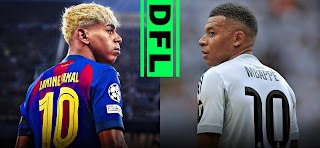
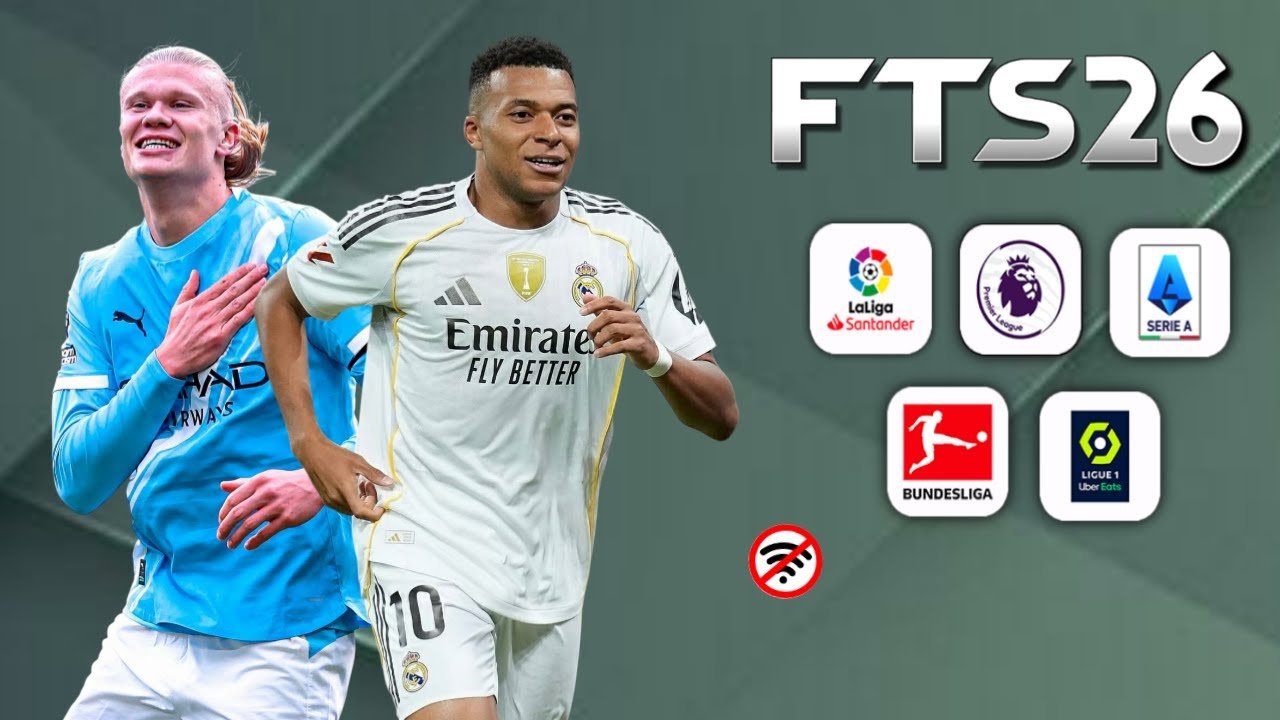
There is a particular kind of football game that refuses to die. FIFA 16 Mobile was supposed to be gone by now — pulled from stores, replaced by shinier titles, forgotten in the dustbin of mobile gaming history. Yet here we are in 2026, and a game built on its engine is pulling more downloads than ever. That game is DFL 26 FIFA 16 Mobile, and if you have not played it yet, this review will tell you exactly what you are missing.
This is not a copy-paste overview. After spending real time with DFL 26 on multiple Android devices — from a budget Tecno to a mid-range Infinix Hot — this breakdown covers what actually works, what surprised us, and what every football gamer in Nigeria and beyond needs to know before jumping in.
Will This Game Run on My Phone?
Check if your Android device can handle your favourite game.
What Exactly Is DFL 26 FIFA 16 Mobile?
DFL 26 stands for Dream Football League 2026. It is a comprehensive community-built modification of the original FIFA 16 Mobile game, rebuilt from the ground up to reflect the 2025/2026 football season. The project is driven by dedicated modders — developers like RoberFL and DLF Gaming Studios — who saw potential in the FIFA 16 engine that EA Sports abandoned and turned it into something genuinely modern.
The original FIFA 16 Mobile was beloved for one core reason: its physics engine. Player momentum felt real. Ball movement had weight. Tactical fouls, first-touch mechanics, and passing responsiveness were all tuned in a way that later official mobile titles never quite replicated. DFL 26 preserves every bit of that engine while wrapping it in completely fresh content for the current football season.
Think of it this way. The engine is a classic car chassis. DFL 26 has resprayed it, fitted new seats, updated the dashboard with modern tech, and filled it with the latest maps. The driving experience remains brilliant — it just looks and feels brand new.
The latest version, v3.2, includes full 2025/26 season transfers, updated home, away, and third kits for major clubs, improved player faces, new stadium textures, and a revamped user interface that looks nothing like the dated menus of the original release.
First Impressions: What Changes Before You Even Kick Off
The moment DFL 26 loads, two things stand out immediately. First, the menu design has been completely overhauled. The interface now carries a clean, modern aesthetic that looks closer to a current-gen console experience than a six-year-old mobile game. Icons are sharper, backgrounds are dynamic, and navigation is noticeably more intuitive.
Second, loading times are fast. For a game that carries this much content — updated rosters, high-definition textures, audio files, and OBB data — the performance on launch is surprisingly efficient. This is partly because the base engine was designed to run lean on Android hardware, and the modding team has respected that efficiency rather than bloating the package unnecessarily.
Before your first match, the settings menu is worth visiting. Graphics quality can be adjusted to suit your device, and the game actually explains what each setting does rather than leaving you guessing. Commentary language options include English, Spanish, Portuguese, French, and Arabic — a thoughtful addition that makes the game feel genuinely global.
Gameplay That Still Feels Like No Other Mobile Football Game
Here is the honest truth about DFL 26 FIFA 16 Mobile gameplay: it is still the best football physics you will find on an Android device. The reason modern official mobile football titles feel floaty or arcade-like is that they have been optimised for quick sessions and microtransaction funnels. DFL 26 does none of that.
Pass weight matters here. A hard through ball feels different from a soft layoff. When you mistime a tackle, your defender actually stumbles rather than magically recovering. First touch under pressure can cost you possession. These are small things, but they add up to a football game that rewards patience and tactical thinking rather than just button mashing.
Dribbling has been refined in the DFL 26 update. Close control through tight spaces feels responsive, and skill moves execute cleanly on supported devices. Shooting has satisfying weight to it — shots with power and angle beat goalkeepers realistically, while rushed attempts from tight angles go wide or get blocked.
Defending is where many players struggle at first. The AI in DFL 26 is not passive. Opposing teams press, track runners, and exploit gaps if you push too many men forward. This forces you to think about formation balance and midfield cover rather than just attacking at every opportunity. Once you adjust your approach, the defensive battles become one of the most satisfying parts of the experience.
Graphics and Visual Upgrades in DFL 26: A Genuine Step Forward
The visual improvements in DFL 26 are not just cosmetic polish. They are meaningful upgrades that change how matches feel to play.
Player faces have been updated with high-definition textures. Top players are recognisable at a glance, with accurate hairstyles, skin tones, and facial features. Stadium environments now include improved crowd animations, realistic grass pitch textures, and lighting that shifts depending on match time settings. Playing an evening match under floodlights looks genuinely atmospheric.
On high-end devices, DFL 26 runs at 60 frames per second with full 4K textures enabled. Animations look seamless at that frame rate, and the overall presentation rivals early console football titles. On mid-range devices, the game scales gracefully — dropping to medium settings still delivers a sharp, enjoyable visual experience without noticeable quality loss.
The match presentation itself has been redesigned. Score overlays, replays, and intro cinematics now carry the aesthetic of a modern broadcast, complete with new FC 26-themed scoreboards and transition animations. Even small details like substitution boards and injury time displays have been updated. These additions make every match feel like a real football broadcast rather than a basic mobile game.
Updated Teams, Kits, and Transfers for 2026
This is where DFL 26 truly separates itself from older versions. The transfer database reflects the complete 2025/2026 football season. Every major signing has been processed, meaning your favourite clubs have their current squads rather than rosters from several years ago.
Kit updates are thorough. Home, away, third, and goalkeeper kits for all major clubs are present with high-resolution sponsor logos and accurate colour schemes. The detail work on kit designs is impressive for a community project — stitching patterns and badge placements are rendered faithfully.
League coverage is broad. The Champions League, Premier League, La Liga, Serie A, Bundesliga, Copa América, and Brasileirão Série A and B are all included. There is also coverage for the Betway Premiership and other regional competitions, making DFL 26 feel genuinely comprehensive rather than focused only on European giants. For African players specifically, this wider league coverage adds real value to the Career Mode experience.
Over 100 football teams are available across all competition formats. Whether you want to manage a Premier League giant or build a smaller club into a continental powerhouse, the team selection gives you meaningful options from the start.
What Type of Gamer Are You?
8 quick questions. Discover your gamer personality.
Game Modes Explained: More Than Just Quick Matches
DFL 26 offers five distinct game modes, each built to satisfy a different kind of football gamer.
Career Mode
Career Mode is the centrepiece of DFL 26 and the reason most players keep coming back. You take control of a club and guide it through multiple seasons, handling transfers, managing squad fitness, and competing across all available competitions. Transfer decisions carry real weight here. Signing the wrong player or spending your budget on a poor deal can derail a season. Building a squad over three or four seasons and watching younger players develop into key performers is genuinely rewarding. Backing up save files regularly is strongly recommended — losing Career Mode progress to a crash is deeply frustrating and entirely avoidable.
Tournament Mode
Tournament Mode runs knockout competitions where a single defeat ends your campaign. The pressure this creates makes individual matches feel more meaningful than in a league format. Cup runs in this mode produce some of the most tense and exciting football DFL 26 has to offer.
League Mode
League Mode tests consistency across a full season. Points accumulate slowly, and defensive performances matter as much as attacking output. Winning a title on the final day of the season after a long points battle is a genuinely satisfying moment.
Quick Match
Quick Match drops you straight into a game without any setup. It is perfect for short gaming sessions or for testing different teams and formations before committing to a Career Mode club.
Training Mode
Training Mode is genuinely useful, especially for new players. Practising dribbling patterns, shooting from different angles, and set piece routines before competitive matches makes a measurable difference to in-game performance.
Device Requirements and Performance Across Android Phones
One of the strongest selling points of DFL 26 FIFA 16 Mobile is how well it performs across a wide range of devices. The FIFA 16 engine was designed to run efficiently, and the DFL 26 team has preserved that efficiency while adding modern content.
| Specification | Minimum | Recommended |
|---|---|---|
| Android Version | Android 7.0 | Android 10 or above |
| RAM | 2GB | 4GB or above |
| Storage Space | 2GB free | 5GB free |
| Processor | Quad-core 1.4GHz | Octa-core 2.0GHz or above |
| GPU | Adreno 308 / Mali-T720 | Adreno 612 / Mali-G72 or better |
Budget phones running 2GB RAM can handle DFL 26 comfortably on low to medium settings. The game does not demand the same resources as newer officially supported football titles, which makes it an accessible choice for the majority of Android users across Nigeria and Africa.
For players on older or lower-specification devices, disabling special effects and setting frame rate to medium provides smooth gameplay without significant visual compromise. Storage management is important — keeping at least 1GB of free space beyond the game files helps prevent slowdowns during load screens.
Graphics Settings Guide: Getting the Best Performance for Your Device
| Device Category | Graphics Setting | Frame Rate Target | Special Effects | Crowd Detail |
|---|---|---|---|---|
| Budget (2GB RAM) | Low | 30 FPS | Off | Reduced |
| Mid-Range (3–4GB RAM) | Medium | 45–60 FPS | Partial | Normal |
| High-End (6GB+ RAM) | High or Ultra | 60 FPS | Fully On | Full |
Closing background applications before launching the game makes a noticeable difference on all device types. Phones running active social media apps, music players, or browser tabs in the background will always perform worse than a clean launch environment.
Tactical Tips That Will Actually Improve Your Results
Playing DFL 26 well requires different habits than most casual mobile football games. These tips address the specific ways this game rewards thoughtful play.
Short passing chains create more consistent attacking opportunities than long ball tactics. The physics engine rewards teams that move the ball quickly through midfield and create overlapping runs on the flanks. Forcing long balls frequently will lead to turnovers and counterattack goals against you.
Squad rotation during long Career Mode seasons is essential. Player fatigue affects performance in ways that are not always obvious in the stats screen but are very noticeable on the pitch. Running the same eleven players through a fixture-heavy period leads to missed chances, poor defensive positioning, and more goals conceded.
Defending requires patience above all else. Tracking runs, maintaining shape, and waiting for the right moment to challenge is far more effective than pressing the tackle button aggressively. The AI will punish rushed defending consistently by threading passes into the space you leave behind.
In Training Mode, focus specifically on finishing from outside the penalty area and set piece routines. Both areas reward practice and can become reliable goal sources once you develop consistent technique.
Customise your controls early. The default layout does not suit every playing style, and spending ten minutes finding a comfortable configuration pays dividends across hundreds of matches. This single step is what separates players who enjoy the game from those who find controls frustrating.
Why DFL 26 Resonates So Strongly in Nigeria and Across Africa
Football is more than entertainment in Nigeria, Ghana, Kenya, South Africa, and across the continent. It is culture. The ability to manage a club, sign players, and compete in leagues on a phone screen speaks directly to that passion in a way that expensive console gaming never could for most people.
DFL 26 fits the African mobile gaming context almost perfectly. It runs on affordable hardware. It works completely offline, which removes the data cost barrier that limits many players from enjoying online-dependent games. Sessions can be as long or as short as your time allows — a quick match fits into a lunch break, while Career Mode can absorb an entire weekend without feeling repetitive.
The zero-microtransaction model is also significant. There are no packs to buy, no stamina bars to refill, no energy timers telling you to stop playing. You load the game and play football. That simplicity is refreshing in a landscape where official mobile titles increasingly monetise every interaction.
For gamers in Lagos, Abuja, Kano, Accra, Nairobi, Johannesburg, and every city in between, DFL 26 represents what mobile football gaming should be — accessible, complete, and genuinely fun without barriers.
Common Problems and How to Solve Them Quickly
Game Lagging During Matches
Lower graphics quality by one tier and close all background applications. If lag persists, reduce crowd detail settings specifically, as crowd animations are resource-intensive and have the least impact on gameplay enjoyment when reduced.
Game Crashing on Launch
Restart your device completely before relaunching. Ensure you have at least 1GB of free storage beyond the game files. If an older version was installed previously, remove it fully before installing the new version.
Controls Feeling Unresponsive
Reset to default control layout from the settings menu, then reconfigure your preferred button positions from scratch. Screen protectors with high surface resistance can sometimes interfere with touch responsiveness — try removing it temporarily to test.
Career Mode Progress Disappearing
Use your device’s file manager to copy save files to external storage or cloud backup after every two or three sessions. This prevents losing significant progress if the game crashes or the device is reset.
Slow Loading Screens
Clear temporary cache files from device storage settings and ensure no other large applications are running during load sequences. Phones with limited internal storage often slow down across all applications — keeping overall storage usage below 80 percent capacity helps maintain consistent performance.
Game Recommendation Engine
Answer 4 quick questions and get your perfect game matches.
Battery Tips for Longer Gaming Sessions
Reduce screen brightness to around 60 to 70 percent during gameplay. Full brightness is rarely necessary and significantly reduces battery life per session. Turning off WiFi and mobile data while playing offline modes eliminates background radio activity that drains battery without contributing anything to the game experience. Enabling battery saver mode for the device (not the game) before launching helps phones with ageing batteries extend sessions by 20 to 30 percent in many cases.
DFL 26 vs Other Football Games on Android: Where It Stands
Compared to current official football titles on Android, DFL 26 occupies a unique position. It does not have the licencing or marketing budget of EA Sports FC Mobile or eFootball, but it delivers something neither of those games currently offer on mobile: a complete, offline, physics-driven football simulation with no purchase requirements.
EA Sports FC Mobile requires internet connectivity for almost all meaningful game modes. eFootball leans heavily into online competition and in-app purchases. DFL 26 asks for nothing beyond your time and the storage space on your phone.
For players who value depth over graphics arms races and want a football game that respects their time and money, DFL 26 FIFA 16 Mobile in 2026 is the clearest recommendation available on Android.
Final Verdict: Is DFL 26 FIFA 16 Mobile Worth Playing in 2026?
After extended play across multiple device types and all available game modes, the answer is a clear yes. DFL 26 FIFA 16 Mobile does what very few games manage — it takes a proven foundation and improves it meaningfully rather than just rebranding it.
The physics engine remains the best available on Android. The 2025/2026 squad updates, updated kits, and new stadium visuals make the game feel current without sacrificing the gameplay qualities that made the original beloved. Career Mode alone provides enough content to occupy serious football gamers for months.
There is no pay-to-win, no energy system, no forced online connection. Just football, on your terms, wherever you want to play it. For anyone in Nigeria, across Africa, or anywhere in the world looking for the best offline football game on Android right now, DFL 26 is exactly what you have been waiting for. Share this with a football gaming friend and let them know which club you plan to take to the title first.
Frequently Asked Questions
Can DFL 26 FIFA 16 Mobile be played without an internet connection?
Yes. DFL 26 is fully offline across all its major game modes including Career Mode, Tournament Mode, and League Mode. This makes it ideal for players who want to game without spending mobile data.
Does DFL 26 include the World Cup 2026?
Yes, certain versions of DFL 26 — particularly the World Cup Edition — include the 2026 World Cup theme with updated international squads. Standard versions focus on club football with the full 2025/26 season roster.
What is the difference between DFL 26 and the original FIFA 16 Mobile?
The original FIFA 16 Mobile was focused on Ultimate Team and required a permanent internet connection. DFL 26 is a complete overhaul that adds offline Career Mode, updated 2026 squads, new kits, improved graphics, and a redesigned interface while preserving the original engine’s gameplay quality.
Does the game include controller support?
Yes, DFL 26 works with most Bluetooth and wired Android-compatible controllers. Many players find controller input more comfortable for longer Career Mode sessions.
Is commentary available in English?
Yes. The game supports commentary in English, Spanish, Portuguese, French, and Arabic, all functioning fully in offline mode.
How large are the game files?
You will need at least 2GB of free storage as a minimum, with 5GB recommended for the full experience including OBB data files and high-definition textures.
How often does DFL 26 receive updates?
The modding community behind DFL 26 releases updates regularly, including mid-season transfer patches and occasional gameplay improvements. This keeps rosters accurate without requiring large weekly downloads.
Can I play DFL 26 on a 2GB RAM phone?
Yes. Many budget Android devices with 2GB RAM run DFL 26 successfully on low to medium graphics settings. Keeping background apps closed before launching improves performance significantly on lower-specification phones.
Are African leagues included in DFL 26?
The Betway Premiership and several other regional competitions are included alongside major European and South American leagues. Coverage varies by version, with ongoing updates from the modding community adding more content over time.
Why do people prefer DFL 26 over newer official football games?
The combination of realistic physics, zero microtransactions, complete offline access, and regularly updated content makes DFL 26 the preferred choice for players who want a pure football experience without the monetisation systems built into modern official titles.
Buchi Evans is a game developer and tech enthusiast with years of hands-on experience building and breaking games. As the founder of Strange Games, he writes in-depth reviews, guides, and analysis with a developer’s eye — helping players understand not just how to play, but why games are built the way they are. When he’s not writing, he’s deep in a game engine or testing the latest mobile releases.