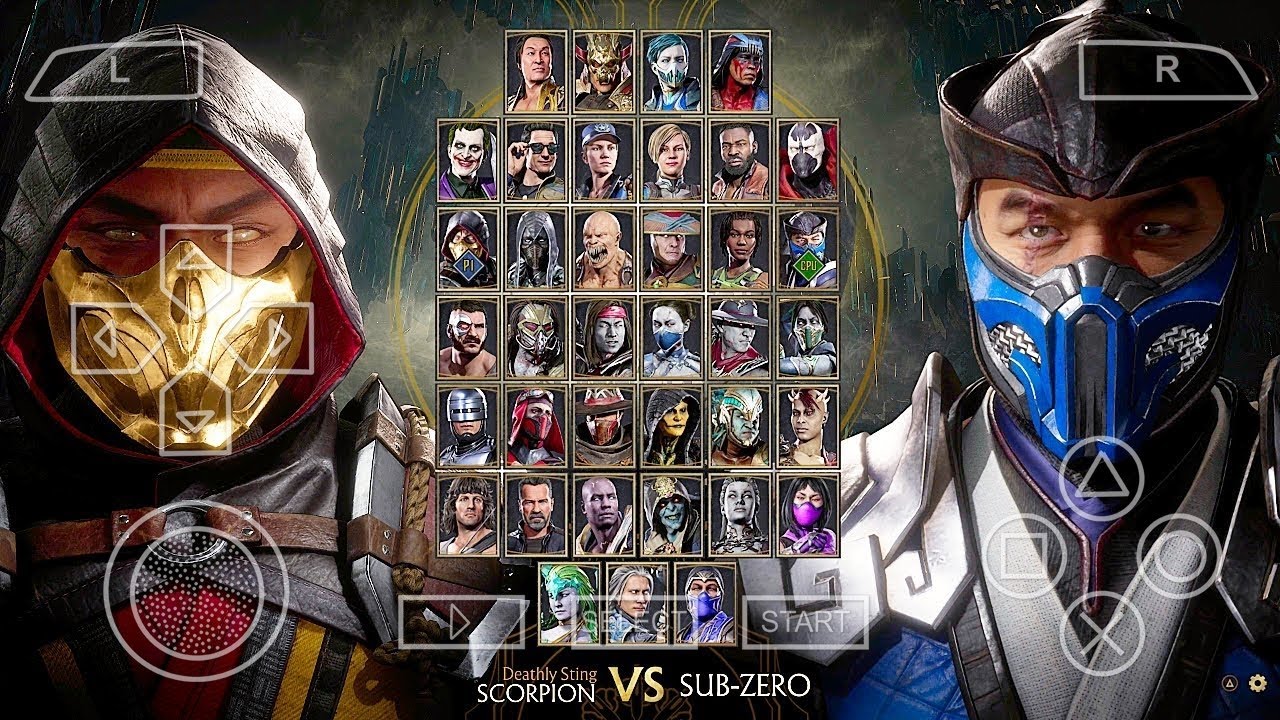
If you’ve ever tried running a big fighting game like Mortal Kombat 11 on a low-end Android phone and ended with 5 FPS, you know the struggle. That’s why the Mortal Kombat 11 V11 PPSSPP mod has become one of the most talked-about “PSP-style” fighting experiences on Android in 2026.
In this article, we break down:
What the V11 mod actually is (and why it’s not a native Android port)
Real performance expectations on low, mid, and high-end devices
New features, characters, and graphics tweaks in the 2026 version
How to set it up safely with PPSSPP (no cracked APKs, no shady hacks)
Best settings for smooth gameplay on budget phones
We’ll keep it practical: no piracy talk, no “download cracked” links, just clear setup steps, performance tips, and what to expect if you’re running this on a 2GB RAM phone or a 120 Hz flagship.
What Is the Mortal Kombat 11 V11 PPSSPP Mod?
Not a Native Android Game
First things first: there is no official “Mortal Kombat 11” game built for Android that uses a “V11” version number as a native app. The real Mortal Kombat mobile game from Warner Bros. is a different product, with its own updates and versioning.
The “Mortal Kombat 11 V11 PPSSPP mod” is actually:
A modified PSP ISO of a Mortal Kombat fighting game (often based on an existing MK PSP title)
Packaged with texture mods, character skins, and UI tweaks
Meant to run on Android via the PPSSPP emulator (a PSP emulator for Android)
So when you see titles like “MK11 PPSSPP ISO Android” or “MK11 PSP Mod,” they’re talking about this modded ISO, not a standalone Android app.
Why “V11” and “2026” Matter
In the modding community, version tags like V11 usually mean:
A specific build of the mod with chosen textures, characters, and settings
These are not official numbers; they’re based on player reports and gameplay videos showing MK11 PPSSPP on various Android devices.
Low-End Phones (2GB RAM, Older Chips)
If you’ve ever tried running heavy games on a 2GB phone, you know:
Background apps kill performance
Heat and throttling cause FPS drops
Heavy textures can make the game stutter
With the V11 mod:
Stick to default resolution (PSP native ~480×272 upscaled)
Turn down texture quality if the mod offers options
Disable or lower anti-aliasing and shadow quality in PPSSPP settings
You shouldn’t expect 60 FPS, but 20–30 FPS is usually playable for a fighting game, especially if you’re used to casual mobile titles.
Mid-Range Phones (3–4GB RAM)
On a mid-range Android (e.g., common 2023–2025 models in Africa, Southeast Asia, Latin America):
You can often push 45 FPS in most arenas
HD textures and extra effects are usually stable
Frame drops may happen during heavyFatalities or X-Ray moves, but not constant
This is where the V11 mod shines: it’s designed to be light enough for mid-range phones while still looking much better than original PSP MK.
High-End Phones and Flagships
If you have a flagship (e.g., recent Samsung Galaxy S, Xiaomi high-end, or similar):
You can aim for close to 60 FPS
Enable higher internal resolution in PPSSPP (2× or 3×)
Use HD/4K texture packs included in some V11 builds
On 90–120 Hz screens, the game will feel notably smoother, especially in arcade and story modes.
V11 Mod Features: What’s New in 2026?
Mod descriptions and video overviews mention several key upgrades in the 2026 V11 version:
1. New Character Kits and Skins
The mod includes:
Updated fighter kits (damage, speed, special move tweaks)
New skins and outfits inspired by MK11 and later content
Some versions claim “all characters unlocked” including rare or DLC-style fighters
This doesn’t mean you literally get the full MK11 roster from the original console game, but rather a PSP-based roster heavily overhauled to look and feel like MK11.
2. HD / 4K Texture Packs
One of the biggest draws is visual upgrades:
HD textures for fighters, arenas, and UI
Optional 4K-style packs for high-end phones
Sharper blood, impact effects, and character details
On low-end devices, these can be heavy, so many players switch to lower-res textures or the default pack.
3. “2026 Transfers” and Animation Tweaks
Some V11 builds claim to include:
Updated transfers (animations, movement patterns)
Smoother combos and hit reactions
Better timing for special moves and Fatalities
These are subtle but can make the game feel more “modern” compared to older PSP MK mods.
4. Visual Overlays: “PS5 Camera” and 4K Effects
Some mods add:
Visual overlays that mimic a “PS5 camera” feed (like a small overlay showing a player cam or stats)
4K-style sharpening and bloom effects
These are purely cosmetic and don’t actually use your phone camera; they’re just visual tweaks to make the game look like a modern console port.
5. Game Modes: Story, Arcade, and Multiplayer
The modded ISO typically includes:
Story mode: A narrative-driven path with fights and cutscenes
You should own a PSP version of the base Mortal Kombat game.
Modded ISOs like V11 are community overlays; use them responsibly and according to local laws.
Many users:
Search for “Mortal Kombat 11 PPSSPP ISO” on mod communities
Look for files labeled V11, 2026, or HD
Download the ISO (often around 800–900 MB, sometimes with extra texture packs)
Avoid sites that clearly distribute copyrighted games for free; instead, focus on communities that explain mods and settings rather than just “free download.”
Step 3: Organize Your Files
PPSSPP expects a specific folder structure:
Create a folder named PSP in your internal storage (if it doesn’t exist).
Inside PSP, create a folder called GAME.
Place your ISO file inside PSP/GAME, e.g.:
/PSP/GAME/MK11_V11.iso
Some V11 builds also include:
Texture packs (override files)
Save data folders
These may need to be placed in:
/PSP/TEXTURE/ (for texture overrides)
/PSP/SAVEDATA/ (for save data)
Follow the mod’s specific instructions if they provide a readme.
Step 4: Open the Game in PPSSPP
Launch PPSSPP.
You should see your game icon under the game list.
Tap the icon to start the game.
If PPSSPP shows an “override files” prompt:
Choose “Apply to all files”
Confirm replace if asked
This ensures texture packs and save data are correctly applied.
Step 5: Adjust Settings for Your Device
Go to:
Settings → Graphics
Common tweaks:
Internal Resolution:
Low-end: 1× (native)
Mid: 1×–2×
High: 2×–3×
Texture Scaling:
Off or low for 2GB phones
Medium/high for 4GB+
Anti-Aliasing:
Off for low-end
2x or 4x for mid/high
Frame Skip:
Off if possible
Enable lightly if you see constant drops
These settings help balance performance and visuals based on your hardware.
Best Settings for Low-End and Budget Devices
If you’re on a budget phone (common across Africa, Southeast Asia, Latin America), focus on stability over beauty.
Graphics Settings
Internal Resolution: 1× (native PSP)
Texture Scaling: Off or Low
Anti-Aliasing: Off
Shadow Quality: Off or Low
Frame Skip: 1 if needed (but try to avoid)
Performance Settings
CPU Core:
Use Auto or JIT if available
Threaded Rendering:
On if your device supports it; off if it causes glitches
VSync:
Off for better performance on low-end
Audio
Keep audio settings default unless you experience lag.
If audio causes stutter, try lowering audio quality in PPSSPP settings.
These tweaks should help you reach a stable 20–30 FPS, which is acceptable for a fighting game on a budget device.
Tips to Reduce Lag and Fix Common Issues
Lag During Fatalities or X-Ray Moves
Heavy effects can drop FPS:
Lower shadow quality and particle effects
Reduce internal resolution
Close other apps before launching PPSSPP
Game Won’t Start or Crashes
Make sure the ISO is not corrupted (re-download if needed).
Confirm file is in PSP/GAME.
Ensure PPSSPP is updated to the latest version.
Try a different CPU core (JIT vs. other options).
Touch Controls Feel Off
In PPSSPP, go to Settings → Controls.
Adjust control size, opacity, and position.
Many players prefer a layout with:
D-pad on the left
A/B/X/Y on the right
Start/Select near the center
You can also use physical controllers if your phone supports USB/Bluetooth gamepads.
Is the V11 Mod Worth It in 2026?
If you’re a:
Mobile fighting game fan
Emulation enthusiast
Budget-hardware gamer looking for something that feels like a console game but runs on low-end Android
Then yes, the Mortal Kombat 11 V11 PPSSPP mod is worth trying in 2026, as long as:
You’re comfortable with emulators and modded ISOs
You follow safe, legal practices (no cracked paid games)
You adjust settings to match your device
It gives you:
MK11-style visuals and fighters
PSP-level performance that most phones can handle
Story, arcade, and multiplayer modes in a single offline package
FAQ: Mortal Kombat 11 V11 PPSSPP Mod
1. Is Mortal Kombat 11 V11 a native Android game?
No. It’s a modded PSP ISO that runs on Android via the PPSSPP emulator, not a standalone Android app.
2. Will Mortal Kombat 11 V11 run on a 2GB RAM phone?
Yes, but expect 20–30 FPS with default settings. You may need to lower resolution and disable heavy effects for stable performance.
3. Do I need to root my phone to use PPSSPP?
No. PPSSPP works on non-rooted Android devices. You just need to install the app and place the ISO in the correct folder.
4. What’s the typical APK/ISO size for the V11 mod?
The ISO is usually around 800–900 MB, sometimes with extra texture packs adding 20–30 MB more.
5. How do I fix lag in Mortal Kombat 11 V11 on PPSSPP?
Buchi Evans is a game developer and tech enthusiast with years of hands-on experience building and breaking games. As the founder of Strange Games, he writes in-depth reviews, guides, and analysis with a developer’s eye — helping players understand not just how to play, but why games are built the way they are. When he’s not writing, he’s deep in a game engine or testing the latest mobile releases.